Make 9:16 Ads in 2 Minutes: 3 Video Ad Storyboards for Marketers
Three copyable templates, production handoff checks, and AI-driven notes to build testable, platform-ready video ad storyboards and generate 9:16 ads in...
A video ad storyboard is a shot-by-shot blueprint that maps visuals, timing, and messaging so your ad stops the scroll and can be produced without guesswork. It forces creative and production decisions before you spend on filming, which cuts reshoots and speeds up testing. Marketers, creatives, and performance teams all use one, and this guide gives you copyable templates to build your own.
TL;DR:
- Using standardized templates like hook-first, PAS, or modular structures ensures efficient testing and adaptation of ads without extensive reshoots.
- Storyboards must specify visual, audio, and purpose elements, including safe zones and platform-specific aspect ratios for accurate final asset rendering.
- Detailed production notes, shot types, blocking, and lighting guidance in storyboards prevent costly reshoots and ensure consistency across multiple takes.
- Pre-shoot checks should confirm product visibility, CTA clarity, sound-off readability, and logistical feasibility before approval.
- AI-generated video workflows enable rapid, cost-effective creation of multiple ad variants from storyboards, significantly decreasing turnaround time for testing and optimization.
Table of Contents
- What Goes Into a Video Ad Storyboard’s Anatomy
- Copyable Templates for Storyboarding Video Ads
- Which Aspect Ratios and Safe Zones Matter Most?
- Turning a Storyboard Into a Production Handoff Document
- Storyboard Mistakes That Cause Expensive Reshoots
- How AI Video Generation Changes Storyboard Requirements
- Why Testable Hooks Beat Perfect Production
- Speed Up Your Storyboard-to-Ad Workflow
- Sources
- FAQ
What Goes Into a Video Ad Storyboard’s Anatomy
A commercial storyboard pairs each shot with timing, visual notes, and production details, and skipping any of those fields is how boards turn into pretty sketches nobody can actually shoot from. Industry templates typically organize this into columns covering camera and composition, timing, on-screen text, and production notes, which keeps the board functional rather than decorative.
Here’s what belongs in every panel:
- Frame number and timing. Label each frame (Frame 1, Frame 2…) with its approximate start and end time, so a 15 second ad has clear beats at, say, 0 to 3 seconds, 3 to 7 seconds, and so on.
- Visual description. Write what’s on screen: subject, action, camera angle, and composition. “Close-up, hands opening product box” tells a cinematographer far more than “product shot.”
- Audio and voiceover. Include the exact line being spoken or the sound design cue. If there’s music, note the mood or tempo shift.
- On-screen text and timing. Specify what text appears, when it appears, and how long it stays up. This matters more than most teams assume, since a large share of viewers watch with sound off.
- Purpose or beat label. Tag each frame with its job in the narrative: hook, problem, product, proof, or CTA. This keeps every frame accountable to the story.
- Production and continuity notes. Lighting setup, props, wardrobe, and location details that need to stay consistent across shots.
- Testing annotations. Note the hook type and CTA timing on each frame so performance teams can tie creative IDs back to specific test cells in the ad platform.
Pro Tip: Write your on-screen text like a caption, not a headline. If someone can follow the entire story with the sound muted, your storyboard is doing its job.
Copyable Templates for Storyboarding Video Ads
You don’t need to invent a structure from scratch every time you brief a new ad. Three templates cover most performance use cases, and each one scales up or down depending on your ad length.
- Hook-first, 5-beat template (6 to 30 seconds). A widely used structure runs Hook, Problem, Product, Proof, CTA, and it maps cleanly onto short-form lengths. A 6 second cut might compress this to Hook, Product, CTA, while a 30 second version gives each beat 5 to 6 seconds of room.
- PAS (Problem, Agitate, Solve). Longer ads, 30 seconds and up, benefit from spending more time making the problem feel real before introducing the product as relief. This works especially well for demo-style or explainer content where the payoff needs setup.
- Modular Hook, Core, CTA template. Split your storyboard into three swappable blocks: a hook module, a core message module, and a CTA module. Keep the core message constant and swap only the hook or the CTA to run controlled creative tests without reshooting the whole ad.
For test planning, a simple matrix works well: 2 hook variations times 2 CTA variations times 1 core message equals 4 distinct creatives, each traceable back to a single storyboard skeleton. That’s a manageable test batch for most weekly ad refreshes, and it beats commissioning four unrelated concepts from scratch.
A few quick example sequences show how these templates flex by ad type:
- UGC-style testimonial: Direct-to-camera hook (“I almost returned this…”) → problem context → product reveal → quick result/proof → CTA overlay.
- Product demo: Fast cut of the product in use → close-up on the feature that solves the problem → before/after or comparison shot → CTA with price or offer.
- Brand awareness: Visually striking open (no logo yet) → brand world/lifestyle shots → single message beat → logo and tagline as the closer.
If you’re briefing a creative team on structured testing cadence, a resource like Growth Reach Marketing’s testing system is worth reviewing alongside your own test matrix.
Which Aspect Ratios and Safe Zones Matter Most?
Your storyboard frames mean nothing if the final asset gets clipped by a platform’s UI. Build placement awareness into the board from the first sketch, not after the edit is locked.
- Aspect ratios by placement. Use 9:16 for Reels, Stories, and TikTok; 1:1 or 4:5 for feed placements; and 16:9 for YouTube pre-roll or connected TV. Google’s own guidance recommends creating native vertical assets rather than cropping horizontal footage, since cropped 16:9 footage often loses the subject.
- Safe zones. On Reels and Stories, avoid placing critical text in the center vertical strip where profile icons and captions sit. On feed placements, keep key messaging above the bottom quarter, where CTA buttons and comment bars overlay the video.
- Hook timing by platform. TikTok viewers decide in the first 3 seconds, per creative-strategy guidance on short-form hooks; YouTube awareness placements give you closer to 5 seconds before skip behavior kicks in.
- Captioning and text timing. Plan burned-in captions at the storyboard stage, following W3C’s guidance on making media accessible without sound, rather than leaving it as a post-production afterthought.
- Reframe versus recompose. A simple crop (reframe) works when the subject sits centrally and the composition survives a tighter ratio. If a wide shot depends on background context, you need to recompose (reshoot or animate) rather than crop, or you’ll lose the point of the frame entirely.
Google also recommends mixing short, medium, and long creative lengths across a single awareness campaign, so plan storyboards for at least two lengths rather than one.
Turning a Storyboard Into a Production Handoff Document
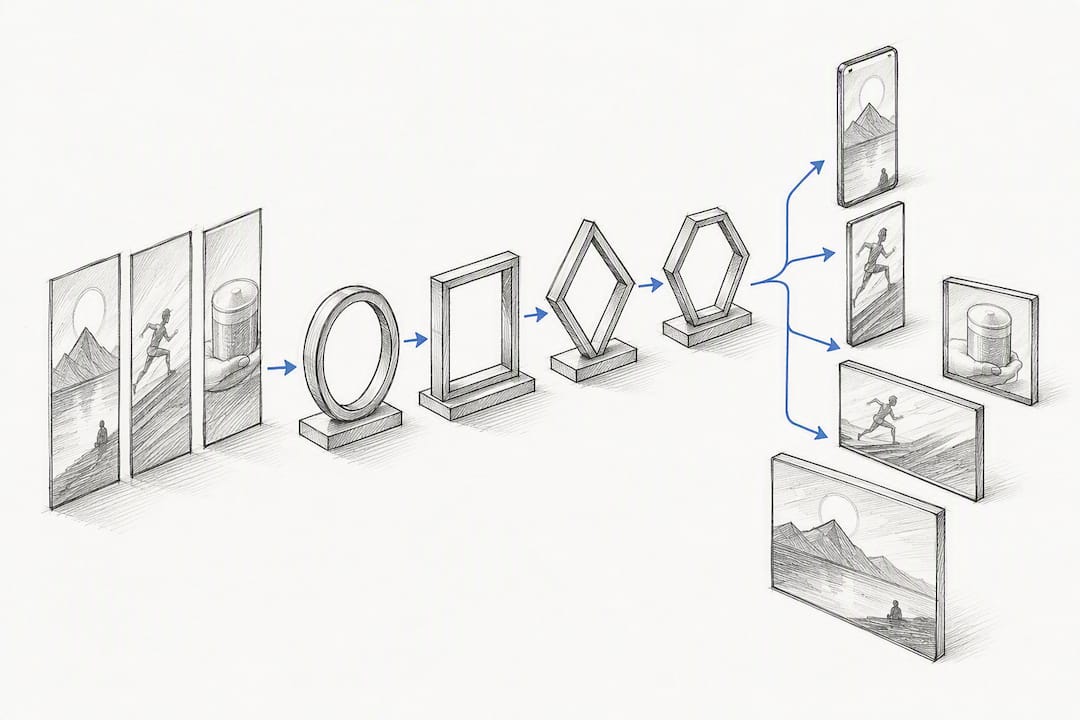
A storyboard exists to eliminate ambiguity on set, and a good one explains not just what’s on screen but why each frame exists in the first place, tying every panel back to a specific narrative or production decision. Storyboard every distinct camera setup, not every second of footage. A fast montage might need 12 panels for a 15 second ad; a single dialogue scene might only need 3.
Each panel handed to production should specify:
- Shot type and framing. Wide, medium, close-up, or extreme close-up, plus any suggested lens choice if it matters to the look.
- Camera movement. Static, pan, handheld, or tracking, noted clearly enough that a cinematographer doesn’t have to guess on set.
- Blocking and talent position. Where people stand or move relative to the frame and to each other.
- Props and wardrobe. Anything that needs to be sourced, matched, or kept continuous across multiple takes.
- Lighting and time of day. Golden hour, overcast, studio softbox, whatever the mood calls for, noted per panel if it changes.
Pro Tip: Scale your panel count to your pacing, not your runtime. A 30 second dialogue-driven ad might need fewer panels than a 6 second fast-cut hook. Count distinct setups, not seconds.
Before anyone picks up a camera, the storyboard needs sign-off from the director, the cinematographer, the production manager, and the client. Google Ads even lets you preview how a finished asset will render across placements before it goes live, which is worth checking against your storyboard’s platform assumptions ahead of the shoot.
Storyboard Mistakes That Cause Expensive Reshoots
The most expensive mistakes in video ad production usually trace back to a storyboard that got rushed or skipped. Opening on your logo is the classic error. Viewers decide whether to keep watching in the first few seconds, so save the branding for later and lead with the hook instead.
Other recurring problems worth flagging before you shoot:
- Locking the board before logistics are confirmed. If the location, talent, or key prop isn’t secured yet, your storyboard is still a draft, not a shot list.
- Frames doing double duty. A single frame trying to introduce the product and deliver the CTA usually does neither well. Give each frame one job.
- No sound-off check. If the story doesn’t hold up on mute, fix the on-screen text timing before production, not after.
| Pre-shoot check | What to confirm |
|---|---|
| Product visibility | Product appears on screen by the midpoint of the ad |
| CTA clarity | The CTA is unmistakable and appears with enough time to register |
| Sound-off readability | The story makes sense with captions alone |
| Safe zones | No key text or product sits under platform UI overlays |
| Production feasibility | Every location, prop, and talent need is actually confirmed and bookable |
Run through five quick questions before you greenlight the shoot: Does the hook land in the first 3 to 5 seconds? Is the product visible early enough? Is every shot achievable with your confirmed locations and talent? Does the CTA have enough screen time? And does the board still work with the sound off?
How AI Video Generation Changes Storyboard Requirements
AI-assisted workflows like Instant-ugc don’t eliminate the storyboard step, they just compress how fast you move from board to finished asset. When you’re generating scenes rather than filming them, add a few extra fields to your panel:
- Scene intent. What the AI-generated shot needs to communicate, since you can’t rely on a cinematographer’s judgment call on set.
- Visual style notes. Lighting mood, camera angle, and setting details written as clearly as a prompt.
- Prompt notes and asset source. Record the exact prompt or source photo used, so outputs can be traced back and quickly re-run if a variation underperforms.
- Risk notes. Anything around likeness, brand accuracy, or claims that needs a human check before publishing.
The modular Hook, Core, CTA template pairs especially well with AI generation, since swapping a hook or CTA becomes a matter of minutes rather than a new production day. The tradeoff is fidelity versus speed. AI-generated scenes move faster and cost less per variant, but every output still needs a human review pass before it goes live… [brand_signal]
Why Testable Hooks Beat Perfect Production
Most brands over-invest in polish and under-invest in testing enough hooks. A storyboard’s real value isn’t the drawing, it’s the discipline of forcing a decision on pacing and message before money gets spent on a shoot. Production realism matters, but a technically flawless ad with a weak first three seconds still loses to a rougher cut that earns attention immediately. Prioritize velocity on the hook and treat everything after it as replaceable.
— Syno
Speed Up Your Storyboard-to-Ad Workflow
Once your storyboard is locked, the slowest part of the process is usually turning it into finished footage, and AI-driven platforms have changed this. Instead of waiting weeks for a traditional shoot, a product photo or app screenshot can be turned into a finished 9:16 video ad in about two minutes using prompt-to-video workflows with customizable AI avatars and automatic script generation.

Traditional UGC production typically runs hundreds to thousands of dollars per video and takes two to three weeks to deliver. That timeline works fine for a single hero ad, but it falls apart the moment you need multiple hook variations to test what resonates. AI-driven platforms fit the testing workflow this guide just walked through: swap a hook, generate a new variant, and have it back in minutes instead of weeks, at a fraction of the traditional cost per video.
Choose AI-assisted generation when you need test velocity, multiple hook or CTA variants, or platform-native formats fast. Save traditional production for hero brand films where every frame needs bespoke direction. If your next storyboard calls for rapid iteration, start with the AI video generator and turn your modular template into finished creatives the same day.
Sources
- Commercial Storyboard Examples and Techniques
- Best practices for awareness and consideration video campaigns — Google Business
FAQ
What Is a Storyboard for an Ad?
A storyboard for an ad is a sequence of panels showing each shot’s visuals, timing, dialogue or voiceover, and on-screen text, used to plan a commercial before filming begins.
What Is a Video Storyboard Called?
It’s most often called a video ad storyboard, commercial storyboard, or shot list, depending on how detailed the production notes are.
How Do I Create a Storyboard for a Video?
Start with your beat structure (hook, problem, product, proof, CTA), sketch or describe each frame with its timing and visual, add audio and on-screen text, then layer in production notes before handoff. Templates that follow this structure exist for both traditional shoots and AI-generated video workflows.
Can ChatGPT Generate Storyboards?
ChatGPT can help draft a storyboard’s script, beat structure, and shot descriptions in text form, but it can’t produce the visual panels themselves. You’ll still need a visual tool, a sketch, or an AI video platform to turn that text plan into actual frames.
